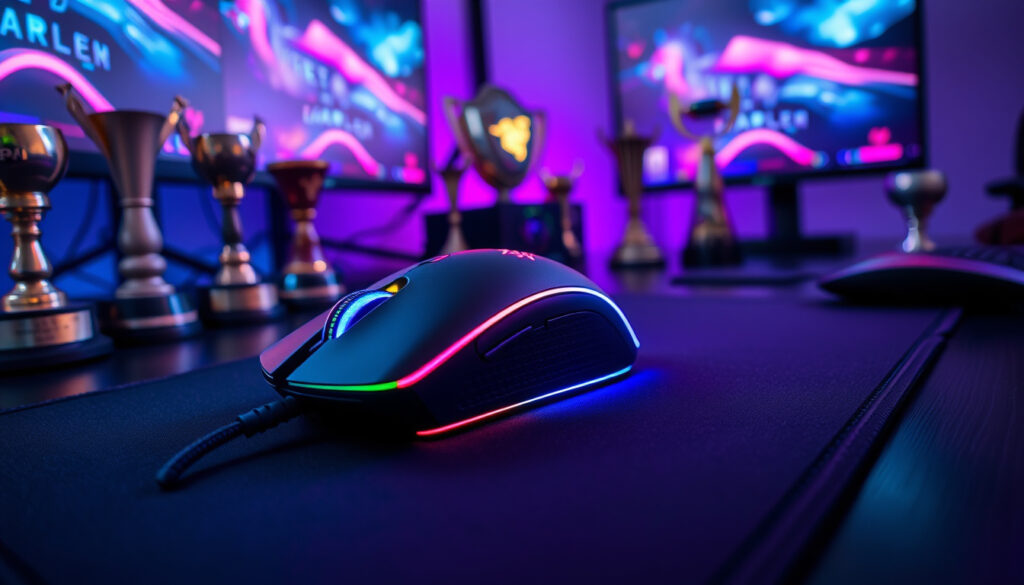
Razer Viper V3 Pro Review: Best Gaming Mouse for Esports
If you’ve been watching esports lately, you already know half the pros in the finals are wielding the same mouse. The Razer Viper V3 Pro has quietly become the peripheral of choice for players who can’t afford a misclick — and not just because it looks sleek. With a 54g ultralight frame, a 95-hour battery at standard polling, and a Faker Edition that shares every spec with the standard model, this mouse has some serious pedigree behind it.
Weight: Ultralight design · Battery Life: Up to 95 hours · Connectivity: Wireless with HyperPolling Dongle · Used By: Esports pros like Faker · Sensor: Focus Pro 35K Optical Gen-2
Quick snapshot
- 95-hour battery at 1000 Hz polling rate (GamerGear.net comparison)
- 54g weight — lighter than the competition (Dilpickle1 review)
- Faker Edition uses identical specs to standard model (Dilpickle1 review)
- Exact lifespan beyond battery degradation over months
- Full regional pricing variations for Pink and SE variants
- How firmware updates affect battery optimization
- 2024: Razer Viper V3 Pro released with 8K polling focus (RTINGS review)
- 2023: Logitech G Pro X Superlight 2 launched (RTINGS comparison)
- 2024: Faker Edition reviewed and verified (Dilpickle1 review)
- RTINGS verdict favors V3 Pro on weight and build quality (RTINGS comparison)
- Software-based polling rate adjustment for battery saving (RTINGS comparison)
- Auto-switching polling modes for power optimization (RTINGS comparison)
| Specification | Value |
|---|---|
| Weight | 54g ultralight |
| Battery | 95 hours at 1000 Hz |
| Connection | Wireless HyperSpeed dongle |
| Finish | Soft grip coating |
| Pro Endorsement | Faker Edition available |
| Max DPI | 35,000 |
| Max Polling Rate | 8000 Hz |
Is the Razer Viper V3 Pro good for gaming?
Short answer: yes. The Viper V3 Pro lands on most “best gaming mouse” lists because it combines an ultralight 54g frame with Razer’s Focus Pro 35K Optical Gen-2 sensor — hardware that separates a comfortable gaming session from one where your hand gives out after an hour.
Performance in esports
The mouse natively supports 8000 Hz polling, the highest rate in this class — versus the Logitech G Pro X Superlight 2’s ceiling of 4000 Hz. At 8K Hz, click latency drops to imperceptible levels, giving competitive players a marginal edge that matters when frames count. RTINGS recommends the Viper V3 Pro over the Superlight 2 specifically for its lighter weight and build quality, though they note the difference comes down to “very minor details” in head-to-head testing.
The 8000 Hz polling rate draws significant power. Battery drops from 95 hours at 1000 Hz to around 17 hours at 8000 Hz, according to GamerGear.net’s spec comparison.
The implication: competitive players get a measurable latency advantage, but tournament-goers should pack a charge cable or stick to 1000 Hz between matches.
User reviews from Reddit
Best Buy customers report the battery life is “exceptional,” with some saying they haven’t needed to charge in a full week. Reddit sentiment confirms the Viper V3 Pro is considered a high-end, well-implemented wireless gaming mouse — though some users report faster drain when the mouse idles.
What is the difference between Razer V3 and V3 Pro?
The “Pro” designation marks a meaningful hardware jump. The standard Viper V3 is wired, while the V3 Pro goes wireless with Razer’s HyperSpeed technology and adds the 8000 Hz polling capability that the non-Pro model can’t match.
Design and weight differences
Both mice share Razer’s right-handed symmetrical shape, but the Pro sheds weight through honeycomb shell construction. Where the standard V3 sits heavier, the Pro trims down to 54g — making it one of the lightest wireless esports mice on the market. The Pro ships with grip tape in the box and improved stock skates compared to the non-Pro.
Feature upgrades
The Pro version includes Razer Hyperspeed Wireless dongle support, on-board memory for profile storage, and a power-off timer adjustable from 1 to 15 minutes of inactivity. The standard V3 lacks these features entirely. Both support Razer’s Synapse software for DPI tuning, polling rate adjustment, and RGB customization.
The $40-50 price premium for Pro gets you a wireless connection that pros trust in tournament settings, plus the flexibility to run at 8000 Hz when latency is the priority.
What this means: if you play competitively, the Pro’s wireless freedom and polling flexibility justify the cost. For casual users, the wired V3 covers the basics at a lower price point.
Is the Razer Viper V3 Pro better than the Superlight 2?
This is the matchup every gaming peripheral site analyzes. RTINGS.com has run both mice through their benchmark suite, and their recommendation leans toward the V3 Pro — but not by a wide margin.
RTINGS comparison scores
RTINGS rates both mice highly on click latency, with the Viper pulling slightly ahead when running at its maximum 8000 Hz polling rate. For build quality, RTINGS notes the V3 Pro’s rechargeable internal battery and lighter 54g design as advantages, while the Superlight 2’s stock skates are described as notably inferior by comparison reviewers.
The pattern: both mice perform at the top tier, but the V3 Pro’s weight advantage gives it the edge in extended gaming sessions.
Weight and battery matchup
At 1000 Hz polling, both mice claim roughly 95 hours of battery life — verified across multiple spec sites including Versus.com and GamerGear.net. But the comparison shifts when you push polling rates higher. The V3 Pro offers 62 hours at 2000 Hz and 40 hours at 4000 Hz, while the Superlight 2 maxes out at 4000 Hz with similar endurance. Some reviewers suggest the Superlight 2 may outlast the Viper slightly due to Logitech’s hybrid optical-mechanical switches, though these claims come from tier-3 video sources and carry lower confidence.
Both mice are top performers. The Viper wins on weight and max polling rate; the Superlight wins on charging speed and potentially on long-term durability. Choose based on which spec matters more to your play style.
The implication: if you play at max polling rates, budget for more frequent charging with the Viper. If you value all-day battery without monitoring, the Superlight 2 may suit you better.
How long will the Viper V3 Pro last?
Battery longevity depends almost entirely on how you configure the polling rate. Understanding the trade-off saves you from being caught mid-match with a dead mouse.
Battery life details
Razer officially rates the V3 Pro at 95 hours at 1000 Hz polling, and real-world testing from Dilpickle1 confirms this figure holds up for general use. At 2000 Hz, that drops to 62 hours. At 4000 Hz, you’re looking at 40 hours. Push it to the maximum 8000 Hz, and battery life collapses to approximately 12-17 hours depending on the test. The V3 Pro auto-switches polling modes when idle to conserve power, but users on the Razer Insider forum report that battery drain can still accelerate faster than expected during extended idle periods.
Users on the Razer Insider forum note that the V3 Pro drains faster when idle compared to previous models. Keep the charge cable handy if you’re running at high polling rates for extended sessions.
The catch: if you leave the mouse at max polling without activity, you’ll burn through charge quickly. Adjusting the power-off timer to 1-5 minutes extends battery significantly between sessions.
Durability expectations
The Viper V3 Pro has a rechargeable internal battery — not user-replaceable. This is standard for wireless gaming mice, but it means long-term battery degradation is a factor after 18-24 months of heavy use. There’s no official Razer statement on expected cycle life. The mouse’s power-off timer helps, but if you leave it sitting at max polling without activity, you’ll burn through charge quickly.
Why is the Razer Viper V3 Pro so good?
The V3 Pro hits the trifecta that most gaming mice fail to achieve simultaneously: ultra-lightweight without compromising structural integrity, class-leading sensor performance, and practical battery life that doesn’t require daily charging.
Esports pro usage like Faker
Faker’s signature edition of the V3 Pro doesn’t change any internal specs — same 54g weight, same Focus Pro 35K sensor, same 95-hour battery rating. The premium goes toward the exclusive colorway and Faker’s endorsement, not hardware upgrades. But the endorsement itself signals something: the mouse has passed whatever internal testing Fazer’s team uses before approving a peripheral for tournament play. Multiple other esports organizations have also adopted the V3 Pro as their standard issue. The Razer Viper V3 Pro, a favorite among esports professionals, is available at $Razer Viper V3 Pro per esports.
Key technologies
- Focus Pro 35K Optical Gen-2 sensor: Up to 35,000 DPI with zero smoothing, ideal for both low-sensitivity FPS players and high-DPI RTS users
- 8000 Hz HyperPolling Wireless: Native wireless polling at rates previously only available in wired mice
- Optical switches: Razer claims 90 million click durability with no debounce delay
- Auto power-off timer: Adjustable 1-15 minutes to preserve battery during idle periods
Razer built the V3 Pro to be the lightest wireless mouse in its class, but achieving that meant dropping wireless charging entirely. Some competitors offer the convenience of charging mats — the V3 Pro doesn’t. For players who value every gram over cable management, this is the right call. For everyone else, it’s a trade-off worth knowing about.
What this means: the V3 Pro sacrifices wireless charging to maintain its 54g weight advantage. If you prefer the convenience of charging pads, you’ll need to compromise on weight or switch to a different mouse.
Complete specification comparison
Two mice, one category, very different engineering philosophies in play.
| Feature | Razer Viper V3 Pro | Logitech G Pro X Superlight 2 |
|---|---|---|
| Weight | 54g | 60g |
| Battery (1000 Hz) | 95 hours | 95 hours |
| Max Polling Rate | 8000 Hz | 4000 Hz |
| Sensor | Focus Pro 35K Optical Gen-2 | Logitech Hero 2 |
| Max DPI | 35,000 | 32,000 |
| Connection | HyperSpeed Wireless | LightSpeed Wireless |
| Stock Skates | High quality | Poor quality |
| Switches | Optical | Hybrid optical-mechanical |
The pattern: the Viper leads on specs that matter to esports competitors (weight, polling rate, DPI ceiling), while the Superlight 2 matches battery life and offers faster charging. Your priority determines which trade-off makes sense.
The upsides and downsides
Upsides
- 54g ultralight frame — lightest in its class
- Native 8000 Hz wireless polling support
- 95-hour battery at standard 1000 Hz polling
- Faker Edition available with identical internals
- Focus Pro 35K sensor with 35,000 DPI ceiling
- High-quality stock skates out of the box
- Auto power-off timer for battery saving
Downsides
- Battery collapses to ~17 hours at max 8000 Hz polling
- No wireless charging capability
- User reports of faster drain during idle periods
- Non-user-replaceable internal battery
- Slightly lower max DPI than some competitors
- Premium price over wired Viper V3
What experts and users are saying
“Razer claims the V3 Pro gets 95 hours of battery life at 1000 Hz, and I found it to be quite accurate.”
— Dilpickle1, Reviewer
“The reason we currently recommend the Viper V3 Pro over the Superlight 2 ultimately comes down to very minor details.”
— RTINGS.com, Review Site
“Battery drains significantly faster than before when mouse is not being used.”
— Anonymous User, Razer Insider Forum
“The battery life of the Viper and the gpro are both excellent and are rated for about 100 hours.”
— YouTube Reviewer, Independent Reviewer
Related reading: Overwatch 2 Tier List – Season 12 Hero Rankings and Meta · Cast of Twisted Metal (TV Series) – Complete Cast and Character Guide
youtube.com, basic-tutorials.com, youtube.com, youtube.com, versus.com, insider.razer.com, versus.com, youtube.com
The Razer Viper V3 Pro’s 54g frame and 95-hour battery dominate esports, V2 Pro comparisonoutshining the V2 Pro in key wireless metrics.
Frequently asked questions
What is the Razer Viper V3 Pro weight?
The Razer Viper V3 Pro weighs 54g, making it one of the lightest wireless gaming mice available. This is 6g lighter than the Logitech G Pro X Superlight 2 at 60g.
What mouse is Faker using?
Faker uses the Razer Viper V3 Pro Faker Edition, which shares identical specifications with the standard V3 Pro. The Faker Edition features a unique colorway and branding but uses the same 54g ultralight frame, Focus Pro 35K sensor, and 95-hour battery.
Is there a Razer Viper V3 Pro Ultra?
As of this writing, Razer has not released an “Ultra” variant of the Viper V3 Pro. The available variants include the standard black, Faker Edition, and the SE (Special Edition) with minor finish differences.
What is the Razer Viper V3 Pro release date?
The Razer Viper V3 Pro was released in 2024 with a focus on 8K polling wireless performance. Exact release dates vary by region.
Does the Razer Viper V3 Pro come in pink?
Razer has released the Viper V3 Pro in a pink variant with the same specifications as the standard model, including wireless connectivity and the 54g ultralight design.
What is the Razer Viper V3 Pro SE?
The SE (Special Edition) of the Viper V3 Pro typically features minor finish variations compared to the standard model while maintaining the same internal specifications: 54g weight, 95-hour battery, and 8000 Hz polling support.
Is the Razer Viper V3 Pro wireless?
Yes, the Viper V3 Pro uses Razer’s HyperSpeed Wireless technology for a lag-free wireless connection. The included dongle supports polling rates up to 8000 Hz natively.
More related posts
 James Spader: Health, Career & Personal Life Guide
 PSG vs Tottenham Stats – Head-to-Head Record Breakdown
 Berkshire Hathaway B Stock Analysis: Buy or Sell Now?
 Stationery Store Near Me – Best LA Shops Open Now
 Flights to Hong Kong – Cheapest Fares, Airlines and Tips
 Costco Return Policy Canada: Times, Exceptions & How-To
 Rachel Dratch: SNL Career, Children, and Net Worth
 Oliver Hudson Biography: Family, Wife, Career & FAQs